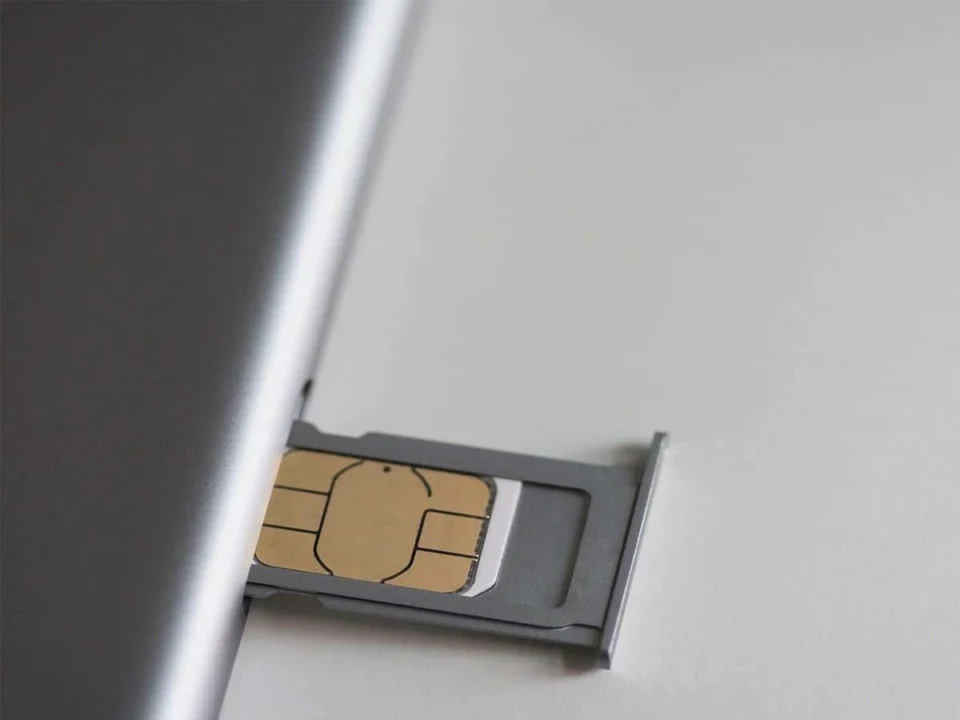
Introduction: Understanding the ‘No SIM Card’ ErrorOne of the most frustrating issues that can occur with both iPhones and Android devices is the ‘No SIM card’ error message. This problem prevents users from making calls, sending text messages, or accessing mobile data, rendering the phone essentially non-functional. Restarting the device often fails to resolve the issue. Here, we explore effective solutions to address this common problem.Quick Fixes for ‘Phone Won’t Read SIM Card’ Issue 📲The ‘phone not reading SIM card’ error is prevalent across various smartphones, including iPhones and Android models like Samsung, Xiaomi, Huawei, and Redmi. It can occur with any mobile operator, including Turkcell, Vodafone, and Türk Telekom. Here are some steps you can take if your phone doesn’t recognize your SIM card:1. Ensure Proper Insertion of the SIM CardFirst, verify that the SIM card is correctly inserted in the tray. Improper insertion can prevent the phone from detecting the SIM card. Consult your phone’s user manual or attempt reinserting the SIM card in a different manner. Additionally, clean the SIM card, especially the chip area, to ensure proper contact. If the issue persists, test the SIM card in another device or request a replacement from your operator.2. Toggle Airplane ModeActivating airplane mode temporarily disables the SIM card and all wireless functions. Sometimes, turning airplane mode on and off can resolve network-related issues. On Android, swipe down from the top of the screen to access the control center and tap the airplane icon. On iPhone, swipe up/down to access the control center and tap the airplane icon.3. Set Network Mode to AutomaticSetting the network mode to automatic allows your phone to connect to compatible networks for cellular service. On Android, navigate to Settings > WiFi & Network > SIM & Network > SIM Settings > Network Operators and select ‘Automatically’. On iPhone, go to Settings > Cellular > Network Selection and ensure ‘Automatic’ is selected.4. Reset Network SettingsChanging network settings can lead to the ‘SIM card not detected’ error. Resetting these settings to their default values can often resolve the issue. On Android, go to Settings > System > Reset and select ‘Reset WiFi, mobile, and Bluetooth’. On iPhone, navigate to Settings > General > Transfer or Reset iPhone > Reset > Reset Network Settings.5. Restart the Phone in Safe ModeMalware or faulty apps can cause SIM card errors. Booting your phone in safe mode allows only system apps to run, helping you identify problematic applications. On Android, press and hold the power button until restart options appear, then long-press ‘shutdown’ or ‘restart’ until ‘safe mode’ appears. On iPhone, turn off the device, then turn it on while holding the volume down button until the Apple logo appears.6. Perform a Factory ResetIf all else fails, a factory reset can restore your phone to its original settings, removing all user data and potentially resolving the issue. Be cautious, as this process deletes all personal data.Reasons Behind the ‘No SIM Card’ Error 🤔The ‘No SIM card’ error can occur for several reasons. The SIM card itself may be damaged, improperly inserted, or incompatible with the phone. Additionally, software issues such as cache errors or altered network settings can contribute to this problem.Resolving the ‘SIM Card Inserted, No Service’ Error ✅When your phone displays ‘No service with SIM card inserted’, it indicates an inability to connect to the carrier’s network. Here are solutions for iPhone and Android:iPhone ‘No Service’ Error SolutionsEnsure airplane mode is off.Restart the iPhone.Update iOS to the latest version.Reset network settings.Check for carrier updates.Contact customer support.Android ‘No Service’ Error Solutions (Samsung, Xiaomi)Reinsert the SIM card.Toggle airplane mode.Restart the phone.Manually select your network operator.Verify the phone’s IMEI.Use safe mode.Perform a factory reset.Conclusion: Troubleshooting SIM Card IssuesExperiencing a lack of network despite the SIM card being inserted is a common issue for users of Vodafone, Turkcell, and Türk Telekom. Potential causes include poor coverage, incompatible or damaged SIM cards, or incorrect APN settings. These steps provide solutions for both Android and iPhone users facing these challenges.
Comprehensive Solutions to the ‘No SIM Card’ Error on iPhone and Android Devices
Discover effective fixes for the 'No SIM Card' error on iPhone and Android devices. Get back to seamless connectivity quickly and easily.
 YazanSigorta Haber
Yayınlandı Güncellendi 4 dk okuma

YAZAR
Sigorta Haber
Finans ve ekonomi alanında uzman. Piyasa analizleri, yatırım stratejileri ve makroekonomik gelişmeler üzerine içerikler üretir.
Yazar profili ve tüm yazıları