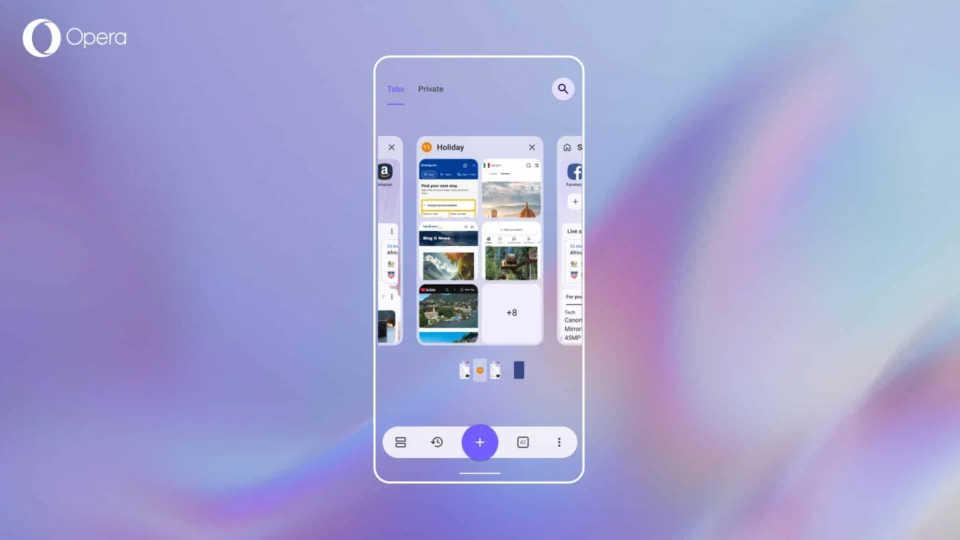
Norwegian browser developer Opera has unveiled a significant update for its Android browser, bringing enhanced features and functionality. The latest Opera Android Version 89 focuses on refining the tab management experience, allowing users to handle multiple tabs with greater ease and efficiency. This update is currently being rolled out and is available for download via the Play Store.An Organized Browsing Experience with Tab IslandsA standout feature in this update is the introduction of Tab Islands. This feature enables users to create tab folders by grouping related tabs together. Users can manually create these islands by long-pressing a tab and dragging it over another tab, where they can then assign names and rearrange them according to their preferences. Moreover, the system can automatically group related tabs when a link is opened in a new tab.With Opera Android 89, the tab gallery offers three different viewing options: carousel, grid, and list layouts, which can be customized to fit user preferences.Effortless Access to Recently Closed TabsRestoring accidentally closed tabs has been made more straightforward with the new Recently Closed Tabs feature, allowing users to reopen up to the last 100 tabs swiftly. Previously visited pages or Tab Islands can be restored with a single tap. Additionally, a tab search function has been integrated for users who struggle to locate specific tabs among many open ones. By tapping the magnifying glass icon at the top right corner of the browser, users can find desired tabs using keywords.Furthermore, a dedicated mute button for tabs with audio content has been added, giving users better control over their browsing experience.
Opera Unveils Comprehensive Update for Android Browser
Discover Opera's latest Android browser update packed with new features and improvements for a seamless, faster browsing experience.
 YazanSigorta Haber
Yayınlandı Güncellendi 2 dk okuma

YAZAR
Sigorta Haber
Finans ve ekonomi alanında uzman. Piyasa analizleri, yatırım stratejileri ve makroekonomik gelişmeler üzerine içerikler üretir.
Yazar profili ve tüm yazıları