İçeriğe geç
SON HABERLER
BirdsEyeView ve JBA Risk Management, Küresel Sel Risk Haritalarını CERA Platformuna Entegre EttiMunich Re ve Generation Life, Avustralya’da Emeklilik Gelirine Beş Yıla Kadar Güvence Sunan Özelliği BaşlattıKorean Re’nin 2026 İlk Dokuz Aylık Net Kârı Yüzde 48,9 Artarak 401,6 Milyar Wona UlaştıGenerali, 2027 Hedeflerini Aşmayı Bekliyor: Yapay Zekâdan 200 Milyon Avroyu Aşan Katkı ÖngörüsüLegal & General’ın 2026 Üçüncü Çeyrek Sonuçları: Sermaye Yeterlilik Oranı Yüzde 213’e UlaştıHong Kong’un İlk Yerel P&I Kulübü Faaliyete Başladı: İlk Poliçe OOCL Grace GemisineAon, USI Insurance Services Satın Alımını 17 Milyar Dolara TamamladıAvustralya’da Şiddetli Fırtınalar Sonrası Sigorta Hasar Başvuruları 9 Bini AştıSwiss Re, 2027 ve 2028 İçin Küresel Sigorta Prim Büyüme Tahminlerini AçıkladıKamil Dilek: “Sigortacılıkta Esas Dönüşüm, İş Süreçlerini Yapay Zekâya Göre Yeniden Tasarlamakla Başlıyor”Zurich UK, Üç Yardım Kuruluşuna 100 Saatlik Uzmanlık Desteği Programını DuyurduZurich, Beazley Birleşmesinde Sermaye Sinerjisi Beklentisini 1,8 Milyar Dolara YükselttiZurich, İngiltere ve Avustralya Hayat Sigortası Pazar Paylarını AçıkladıBNP Paribas Cardif, Almanya’da Yeni Emeklilik Hesabına İşsizlik ve İş Göremezlik Teminatı SağlayacakBNP Paribas Cardif’in Fransa’daki Dayanışma Finansmanı Programında ADIE’ye 20 Bin Avro DestekBNP Paribas Cardif Peru, Ekim 2026 Mali Tablolarını Açıkladı: Net Kâr 42,8 Milyon SolSompo Japan, Narita Havalimanı’ndaki Otonom Satış Robotlarına Sorumluluk Sigortası Sunmaya BaşladıSompo Holdings ve NTT, Yaşlı Bakımında Fiziksel Yapay Zekâ Uygulamaları İçin AnlaştıSompo Japan, Uluslararası Deniz Yük Sigortasında Zarar Önleme Masraflarını Teminata AldıFitch, MAPFRE’nin İhraççı Kredi Notunu A+’ya Yükseltti
English

Resolving the 0xc000007b Error in Windows

Learn how to fix the 0xc000007b error in Windows with our step-by-step guide. Easy solutions to get your applications running smoothly.

Bağlantı kopyalandı!
Resolving the 0xc000007b Error in Windows

Understanding the 0xc000007b ErrorThe 0xc000007b error is a common issue faced by users across various Windows operating systems, from Windows 7 to Windows 11. This error often arises when launching older games such as PES, GTA, Metin2, Far Cry 3, or even newer titles downloaded from platforms like Epic Games. The error typically reads: ‘Application failed to start properly’ and can be frustrating for users eager to play their favorite games.What Causes the 0xc000007b Error?The root of the 0xc000007b error often lies in corrupted Windows files or missing DLL files. Additionally, this error can occur when there is a mismatch between the architecture of the software and the operating system, such as installing a 64-bit software on a 32-bit system, or vice versa.Solutions to Fix the 0xc000007b Error1. Restart Your ComputerMany Windows errors, including the 0xc000007b, can be resolved simply by rebooting your computer. A restart refreshes the system and often clears out temporary glitches causing the error. To restart, press Alt + F4 on the desktop and select Restart from the shutdown options.2. Update Your WindowsRunning an outdated version of Windows could be a contributor to the 0xc000007b error. Ensure your system is updated to the latest version to avoid compatibility issues. On Windows 11, navigate to Settings > Windows Update and click on Check for Updates. Similarly, on Windows 10, go to Settings > Update & Security to install any available updates.3. Run the Application as AdministratorCertain applications require administrative privileges to run correctly. To address this, right-click the application shortcut and select Run as administrator. For a permanent solution, right-click the shortcut, go to Properties > Compatibility tab, and check Run this program as administrator.4. Install Microsoft Visual C++ RedistributableThe Visual C++ Redistributable packages are essential for running various applications. Corruption in these packages can lead to the 0xc000007b error. Download and install the latest version from Microsoft’s website. Also, ensure the .NET Framework is installed. Press Windows + R, type optionalfeatures, and check the .NET Framework 3.5 option.5. Repair Corrupt Windows FilesCorrupted system files can also cause the 0xc000007b error. Use the built-in SFC (System File Checker) tool to scan and repair these files. Open Command Prompt as an administrator and type DISM.exe /Online /Cleanup-image /Restorehealth. Once complete, run sfc /scannow to fix any detected corrupt files.ConclusionThe 0xc000007b error typically results from a conflict between the architecture of applications and system files, or from missing/corrupt files. By following the detailed steps above, you can effectively resolve this error and enjoy a smoother experience when using your computer.

Benzer Haberler

Tümü
Phone showing a generic verification symbol next to laptop, UK insurance company FCA authorisation check concept
How to Verify a UK Insurance Company in 2026: FCA Firm Checker, Register and FSCS Guide
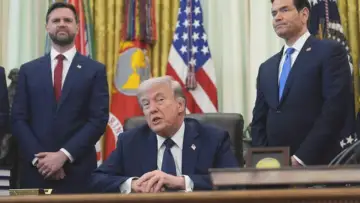
JD Vance Leads Early Contest to Succeed Trump as Marco Rubio Emerges as Main Alternative for 2028
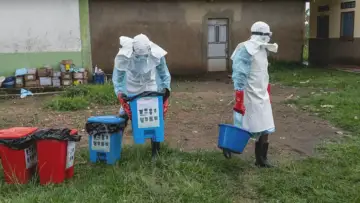
WHO Raises Ebola Public Health Risk to Very High in DR Congo as Cases Increase
Pakistan Army Chief Visits Tehran as US-Iran Talks Show Limited Progress
Xi Orders Full Rescue Response After Coal Mine Gas Explosion in Northern China Kills Over 80
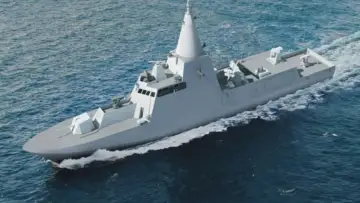
Italy expands defence cooperation with Kuwait through Leonardo naval systems, air force support, and regional military presence
SİGORTA HABER YAYIN AĞI • İçerikler 5 dakikada bir yenilenirBağlantı dizini
En Güncel ve Doğru Haberler!

Sigorta Haber, sigorta sektöründeki en güncel haberleri, analizleri ve gelişmeleri tarafsız bir bakış açısıyla sunan bağımsız bir haber platformudur. Sigorta profesyonellerine, acentelere ve sektöre ilgi duyan herkese doğru, hızlı ve güvenilir bilgi sağlamayı amaçlıyoruz. Sigortacılıktaki yenilikleri, mevzuat değişikliklerini ve sektör trendlerini yakından takip ederek, okuyucularımıza kapsamlı bir bilgi kaynağı sunuyoruz.

2026 Sigorta Haber © Tüm hakları saklıdır.